welcome.md

Read it calmly.

Double-click a .md file. Meremark turns it into a page worth reading.

Notes from AI, specs, drafts and docs arrive as raw Markdown. Meremark sets them with clear headings, comfortable spacing and an outline you can jump through.

Made for reading

Download for Windows See how it reads Every feature is free during early access.

WHAT YOU SEE

The file stays plain. The reading doesn't.

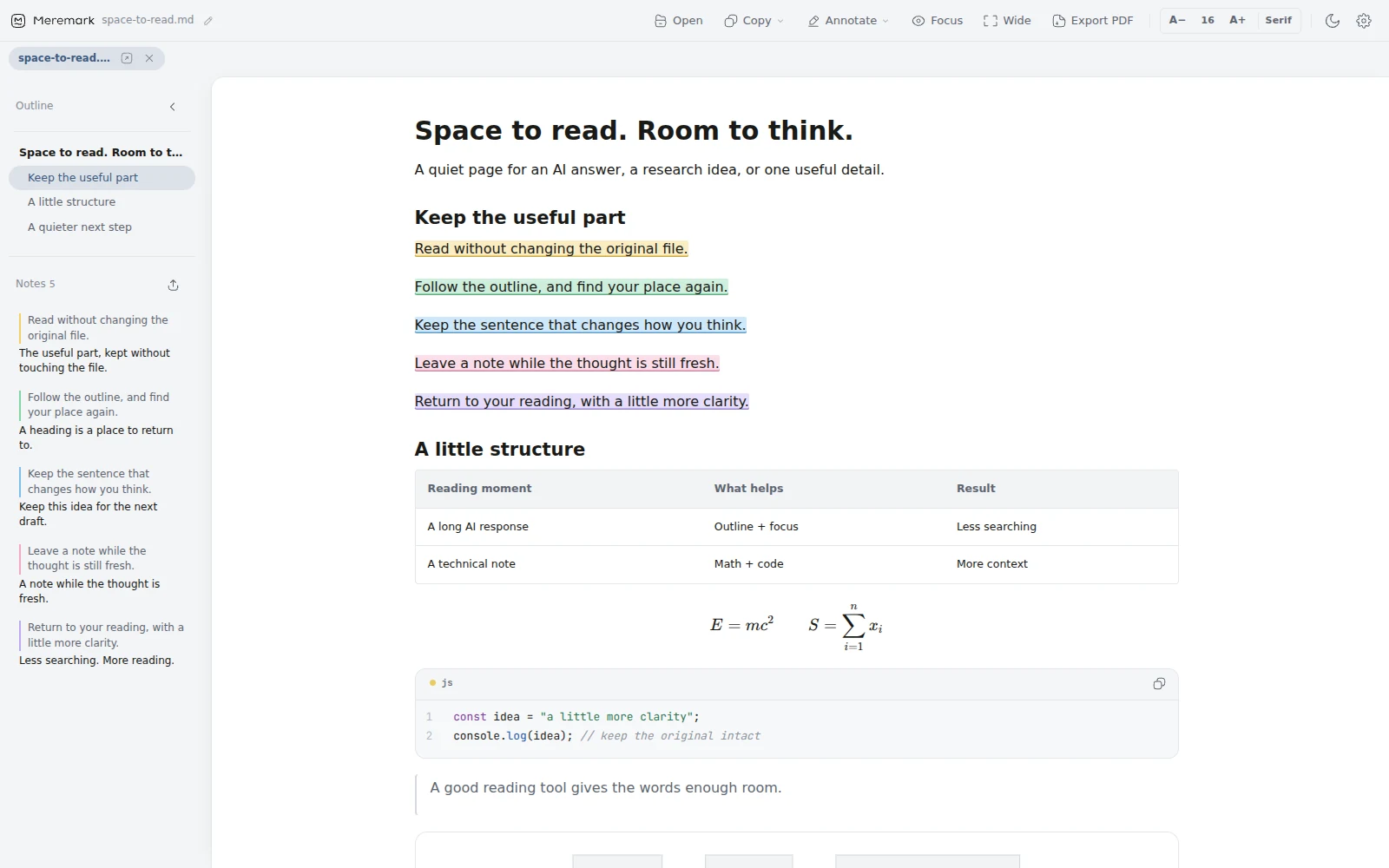
Windows opens .md files in Notepad, full of hashes and asterisks. Meremark shows them the way the writer meant: headings, an outline on the left, tables, formulas and code in their place.

Meremark 0.3.2 displaying a Markdown reading note with an outline, formatted text and a table.
Meremark 0.3.2. An outline on the left; your document, clearly set on the page.

Everything a long document needs.

Formulas, diagrams and code, set properly.

LaTeX renders as math. Mermaid turns into a diagram. Code gets a language label, line numbers and a copy button that leaves the numbers behind.

LaTeX · Mermaid · code · tables · footnotes

A rendered formula, a Mermaid flowchart, a bash code block with line numbers and a table.

Highlight in five colours. Leave a note.Pro

Select a passage and pick a colour. Notes sit beside the line and collect in the side panel, ready to export as Markdown. Your file is never touched.

Yellow · Green · Blue · Pink · Purple

A document with highlights in five colours and a list of notes in the side panel.

Turn a passage into a card.

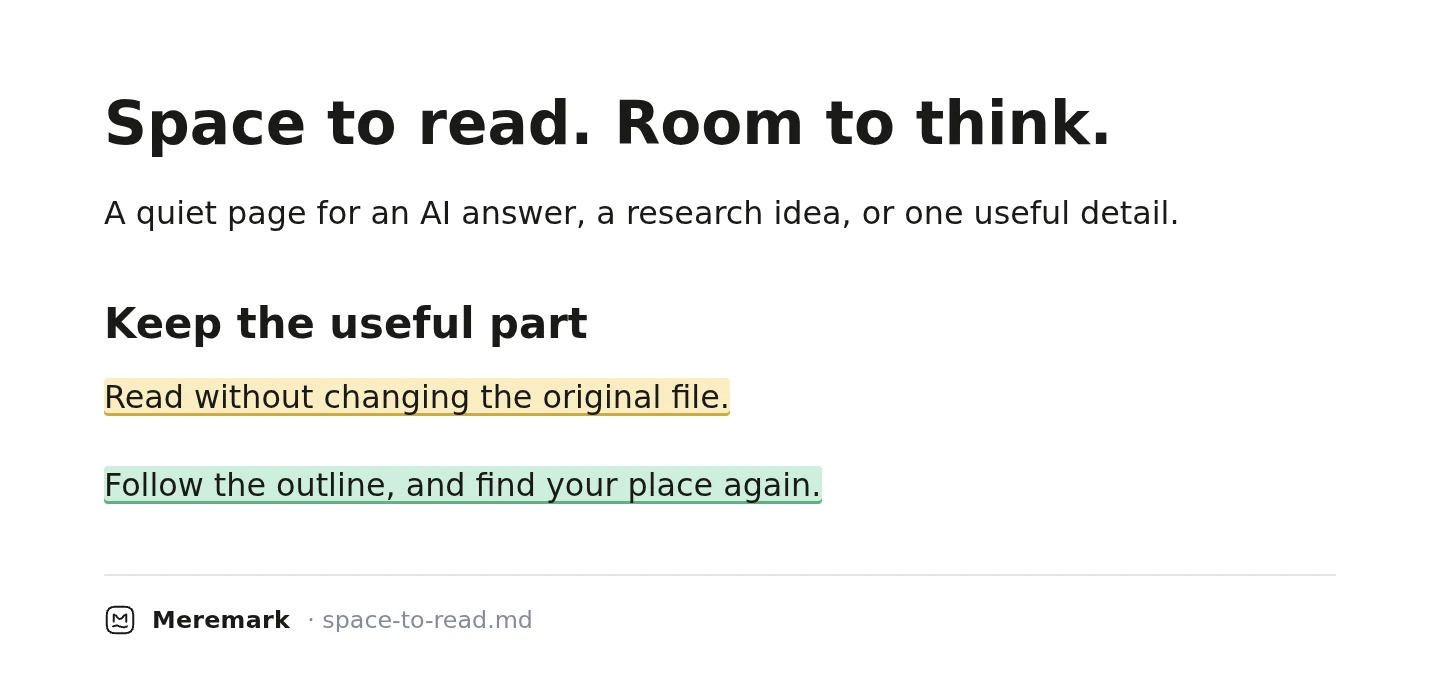
Pick a sentence or a whole section and save it as a clean image, with your highlights kept. Paste it into a chat, a post or a slide.

PNG · follows your theme and text size

A share card with one highlighted sentence and a small Meremark footer.

Export a clean PDF, in any shape.Pro

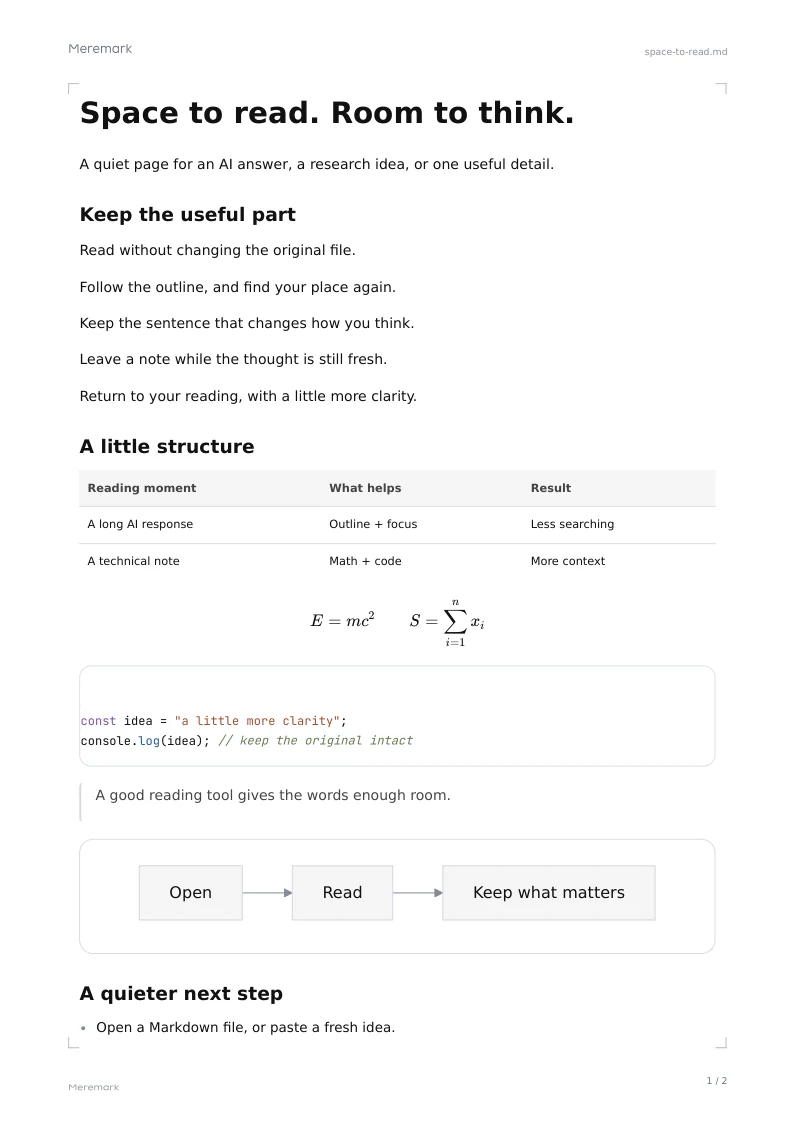
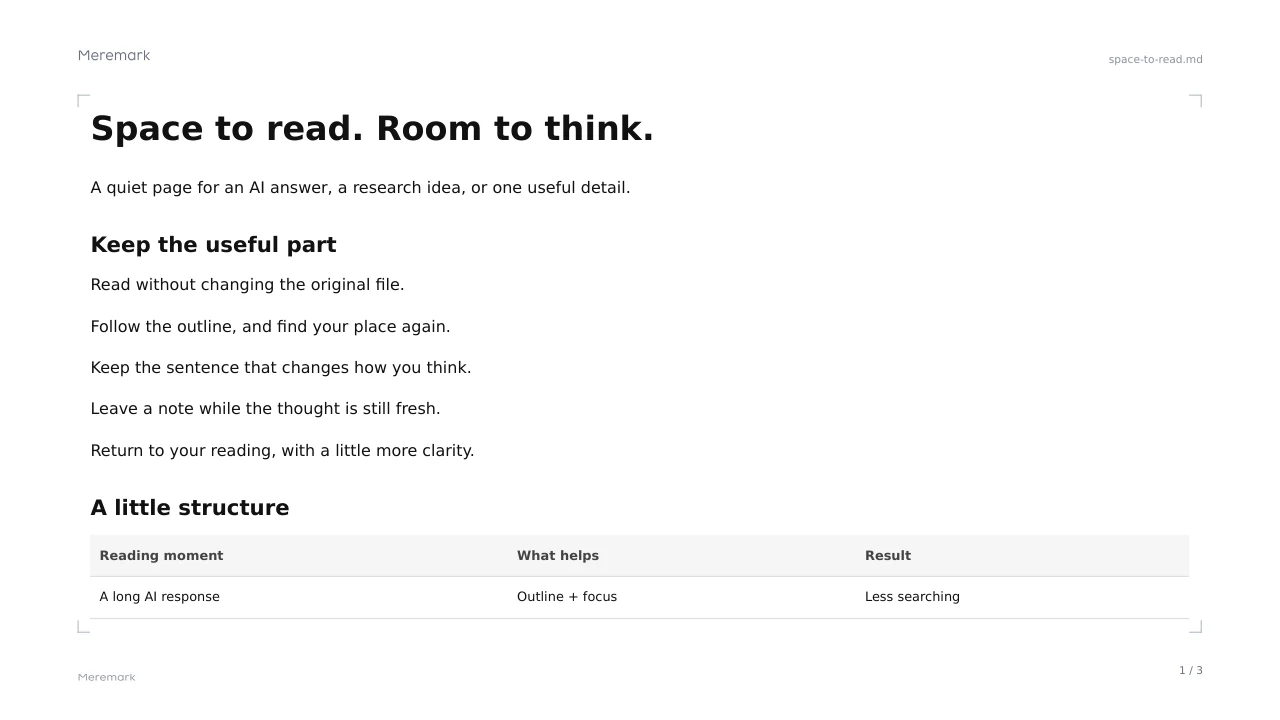
A4 or Letter for documents, 16:9 for slides, 9:16 for stories, or one long page for phones. Preview the pages before you save.

A4 · Letter · A5 · 16:9 · 9:16 · 1:1 · phone

An A4 PDF page exported from Meremark. A 16:9 PDF page exported from Meremark.

Late pages, softer light.

Choose light, dark or paper, or let Meremark follow Windows. The same quiet layout, at any hour.

Light · Dark · Paper · Follow system

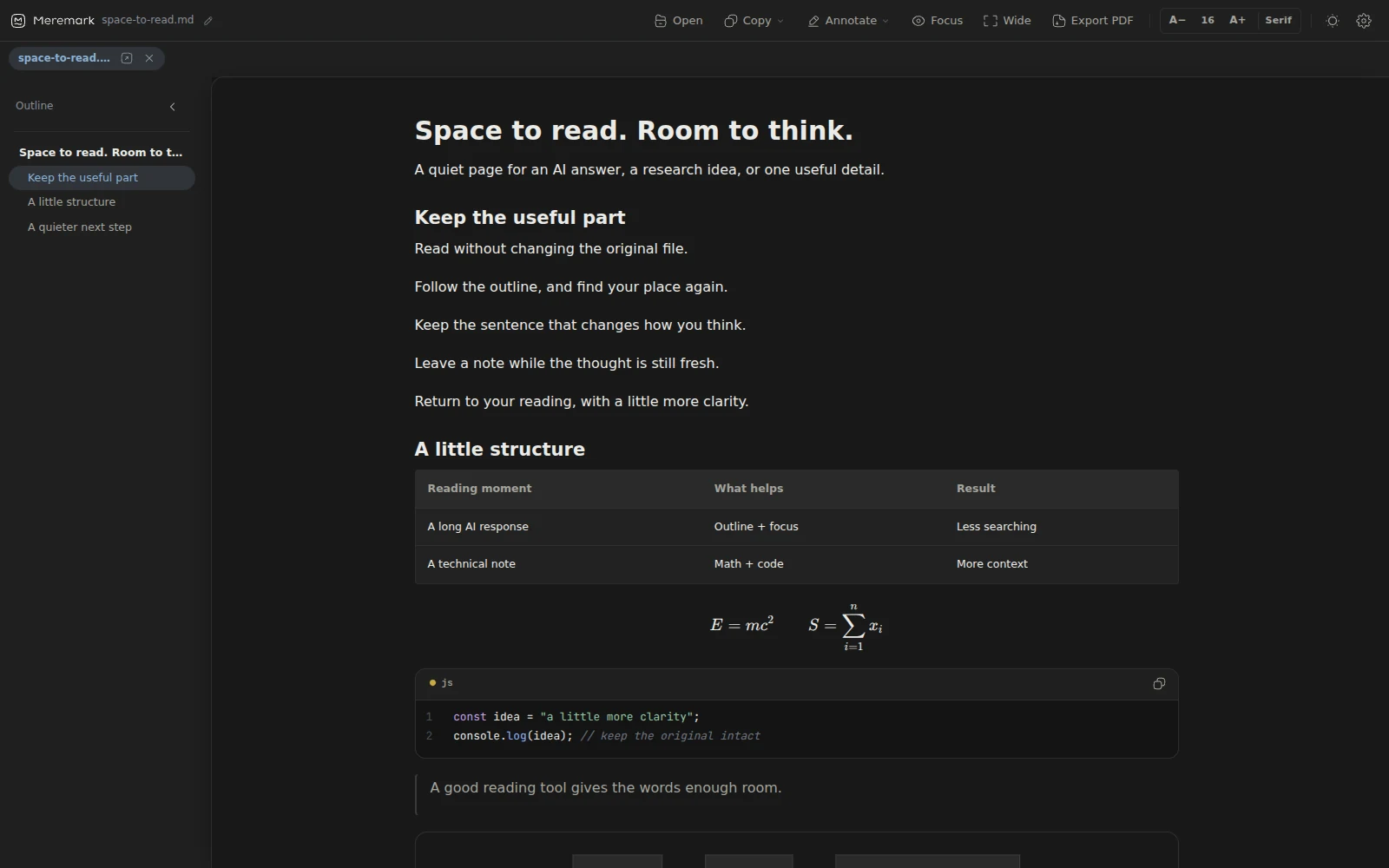
Meremark 0.3.2 displaying the reference document in its neutral dark reading mode.

ALSO IN MEREMARK

The everyday details

A welcome worth openingThe first-run document introduces reading, highlights and themes inside the reader.
Recently openedReturn to a file from the home screen, without finding its folder again.
Paste to readPaste Markdown directly with Ctrl+V. It opens as a temporary reading tab.
Instant outlineBuilt from your headings. Click to jump; it follows as you read.
Floating readerPop a document into a small window and keep it beside your work.
Focus modeDims everything except the paragraph you are reading.
Wide readingMore room when a table needs it.
Prompt copyPrompt blocks get a copy button. One click takes the whole prompt.
Copy as rich textPaste into Word, Docs or email with formatting kept.
Light and darkFollows Windows, or choose your own.
TabsOpen several files and switch between them.
Seven languagesEnglish, Chinese, Japanese, Korean, German, French, Spanish.
THREE PRO READING THEMES

A different rhythm. The same words.

Keep the familiar light, dark or paper view, or settle into a reading theme with its own typography and pace. Included in Pro; free to explore during early access.

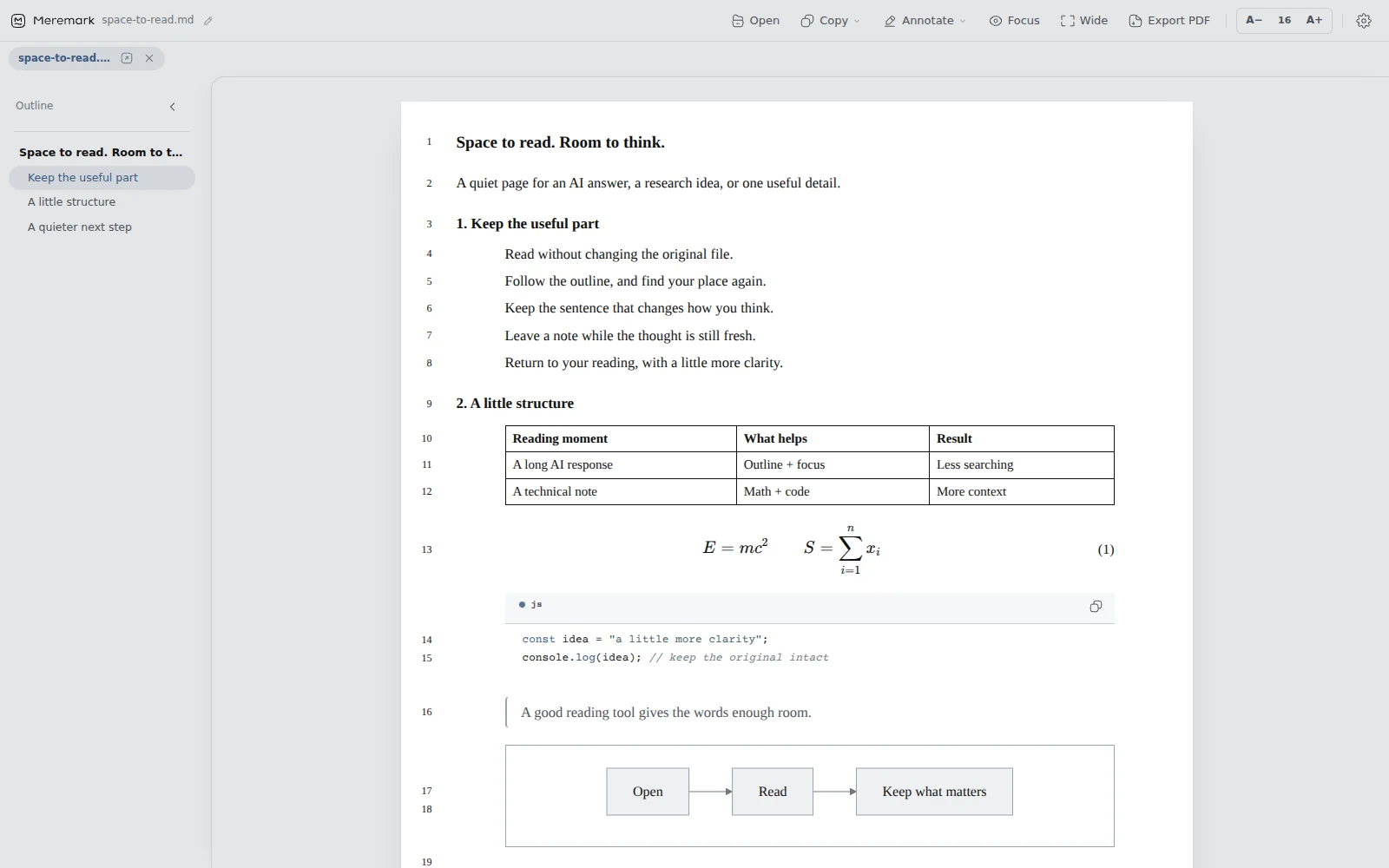
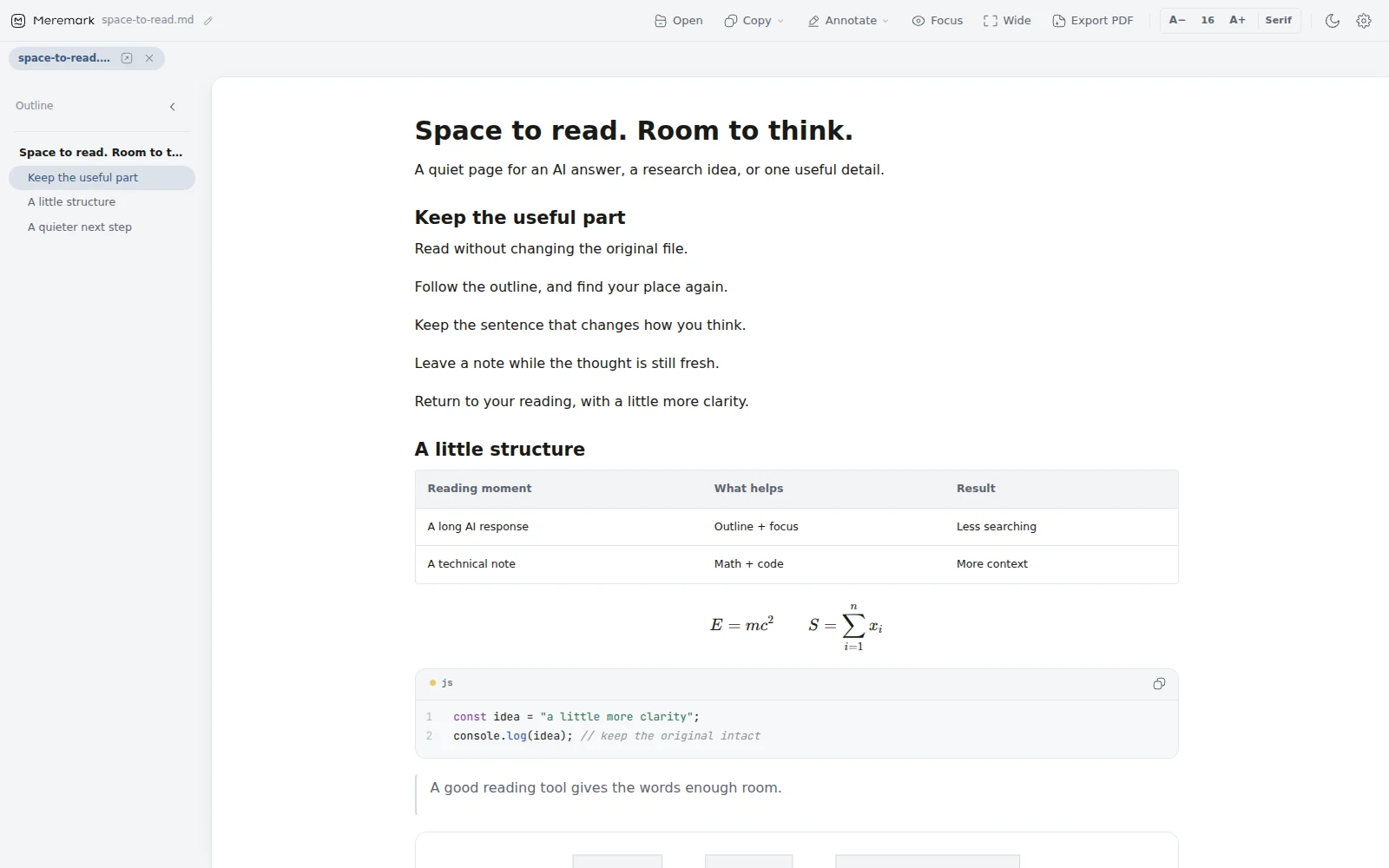
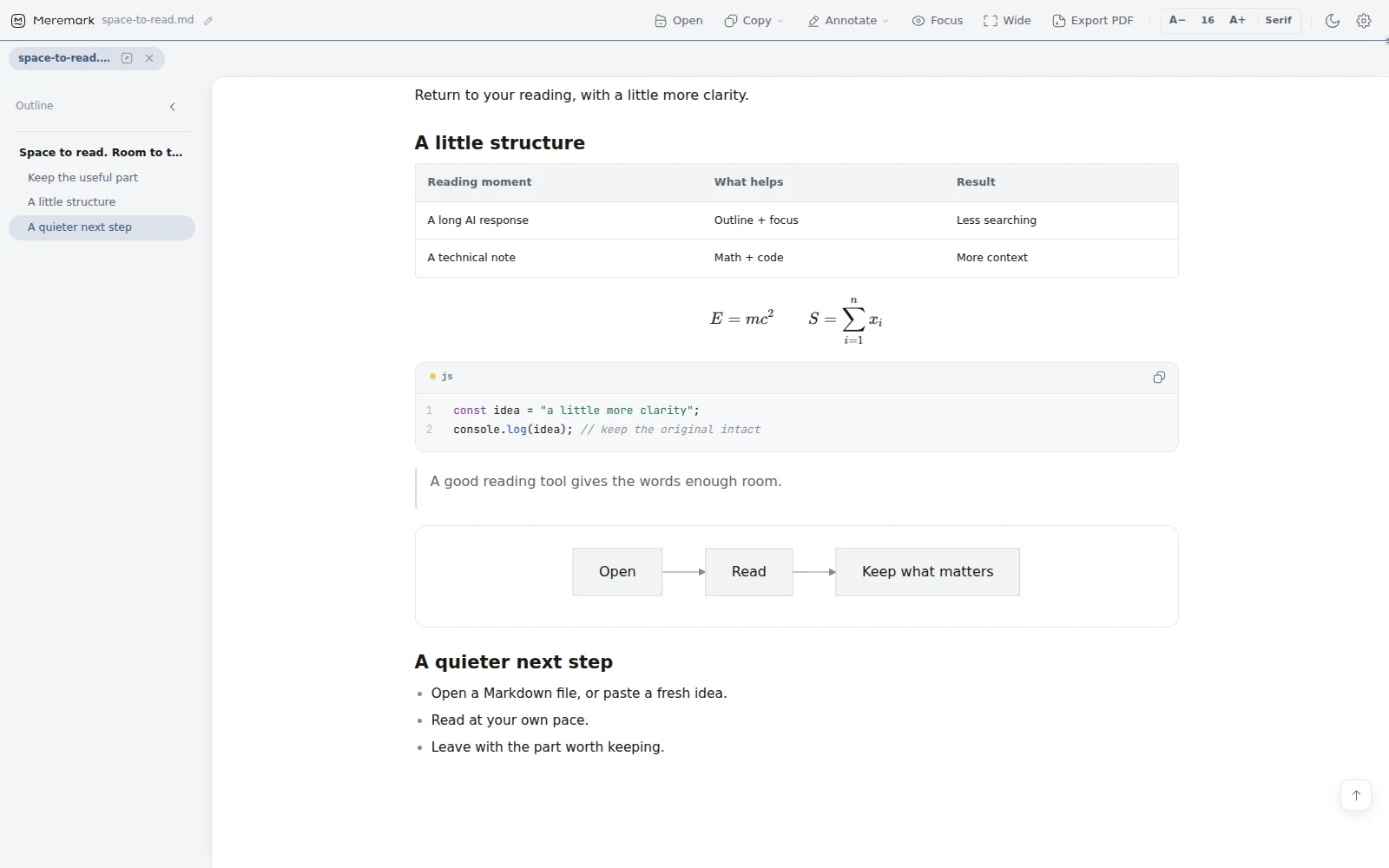
The same Markdown document in Academic: white paper, serif text, numbered headings and margin line numbers.

Academic

A manuscript-like page for research notes, formulas and careful reading.

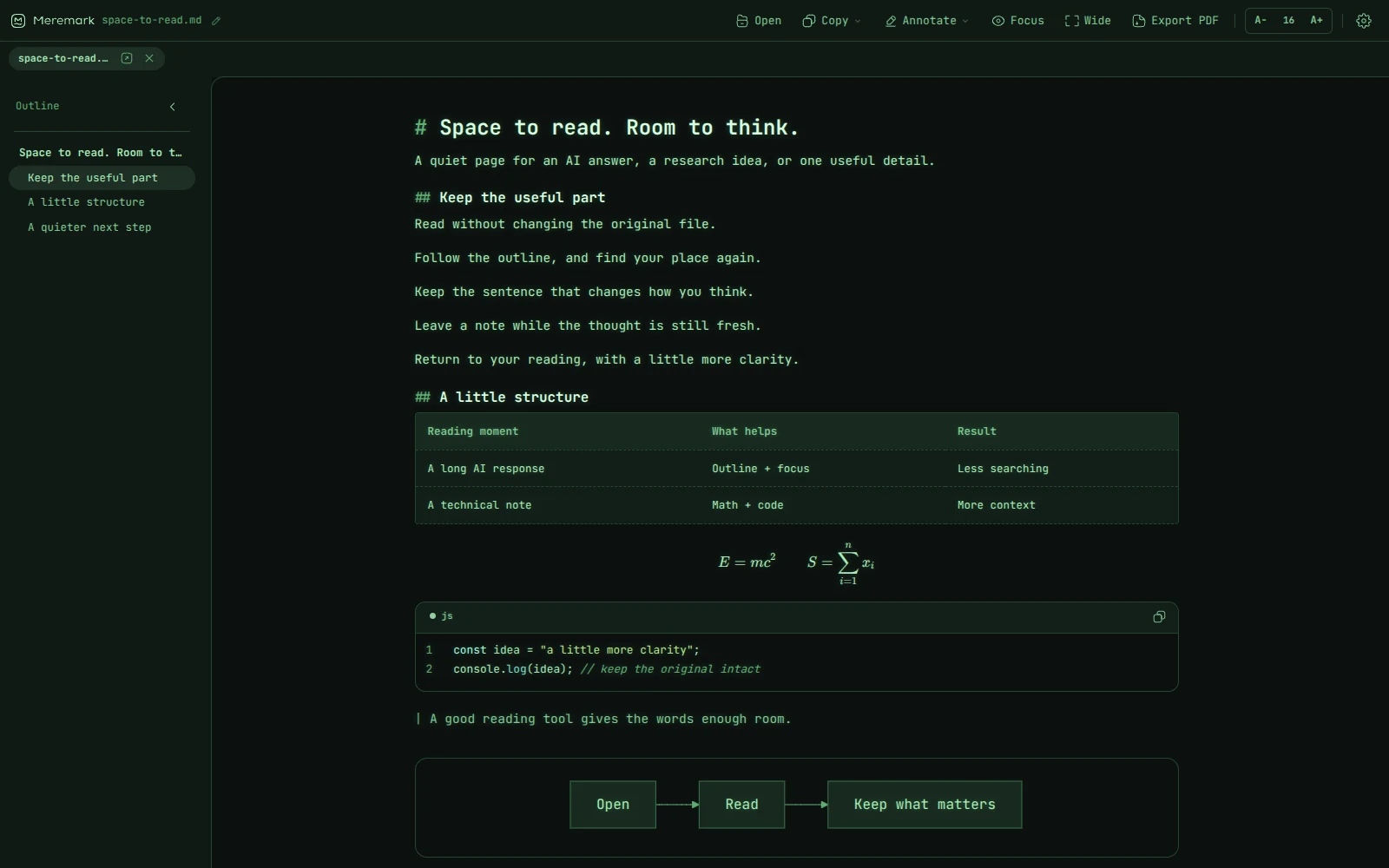
The same Markdown document in Terminal: a dark green background and green monospace text.

Terminal

Quiet green text and a monospaced rhythm for technical documents.

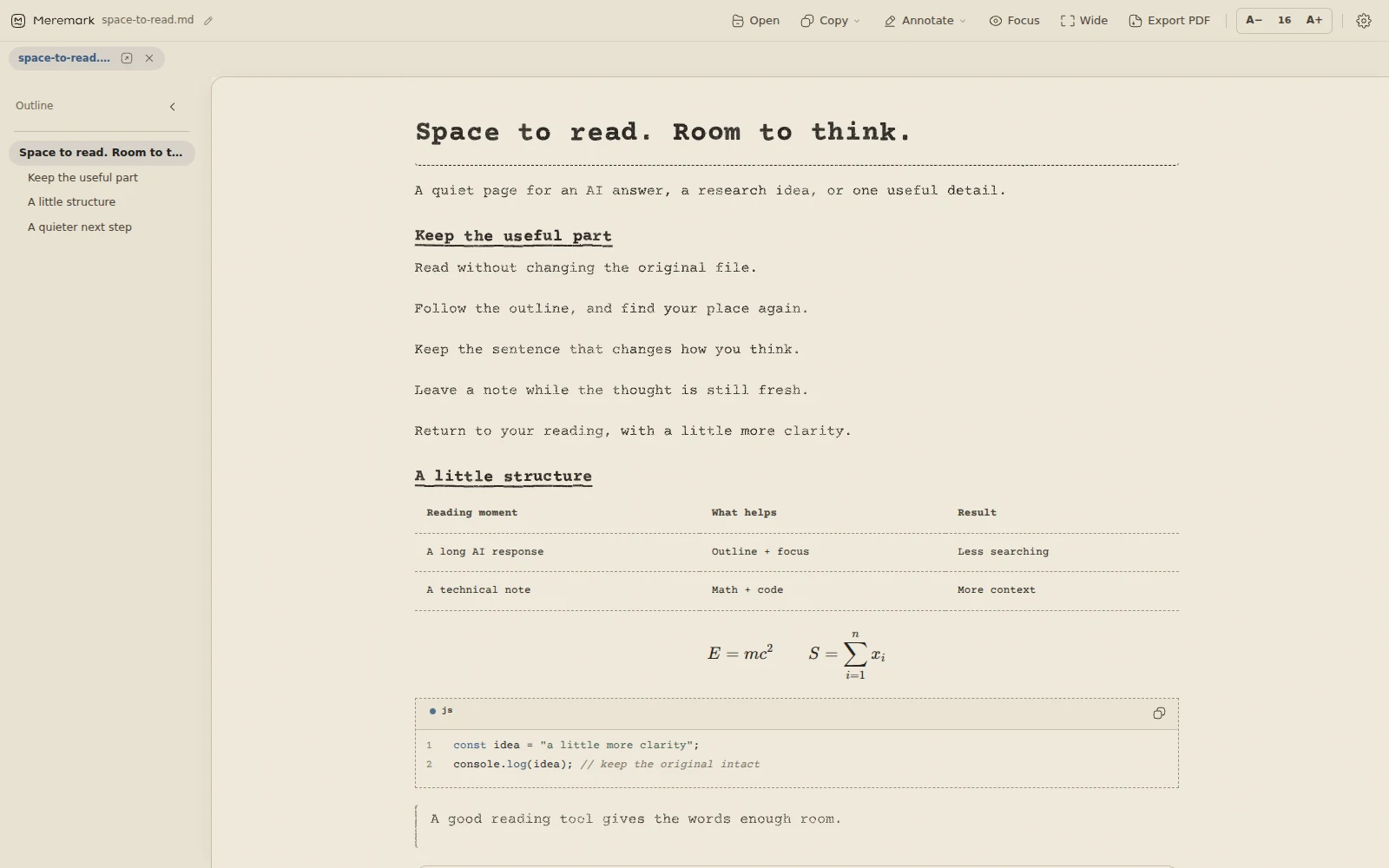
The same Markdown document in Typewriter: warm paper and gently textured type.

Typewriter

Warm paper and the character of a typed page, for essays and longer notes.

FOR CREATORS

Keep your prompts beside the canvas.

Shrink any document into a floating reader and park it next to the tool you create with. Prompt blocks get a copy button, so the whole prompt goes across in one click.

Image studio
studio.example.com/create
CreateYour image website
ImageVideo
Paste a prompt…
16:9 · 1 image
Your image appears hereA soft ink-wash landscape: grey mountains in mist above a still lake, with a small vermilion sun.
prompts.md · Meremark

Still water

Image
Prompt

A quiet Japanese ink-wash landscape on washi paper. Pale mountains fading into mist, a still lake that mirrors them, one small vermilion sun. Soft greys, wide empty space. No text.

Video
Prompt

Mist drifts slowly between the far mountains. The lake stays perfectly still and the sun does not move. One calm shot, ten seconds.

  1. 1Float the reader
  2. 2Copy the prompt
  3. 3Paste and create

Meremark floats over any website or app. The image site shown is an illustration, not an integration.

PRICING

Free to read. Pay once for more.

Read for free. Pro is a one-time purchase, not a subscription.

Every feature is free during early access.

Free

$0forever
  • Full reading: outline, tables, formulas, diagrams, code
  • Multiple tabs, light, dark and paper themes
  • Welcome document, recent files and paste to read
  • Highlight in one colour
  • Share cards with a small Meremark footer
  • Focus and wide reading, prompt copy
Download free

Pro

$9.99early-bird, $12.99 later
  • Everything in Free
  • Five highlight colours and notes
  • Export notes as Markdown
  • PDF export in every size
  • Copy as rich text, floating reader
  • Share cards without the footer
  • Academic, Terminal and Typewriter themes
Coming soon

One person, three devices. Free 1.x updates. Your existing notes remain readable and exportable if Pro ends.

DOWNLOAD

Read your next .md file in Meremark.

Version 0.3.2 · about 4.6 MB · Windows 10 / 11, 64-bit (x64). Reading works offline; initial setup may download Microsoft WebView2.

Windows installerDirect download, .exe
Download

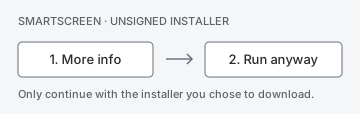
Windows may show a SmartScreen notice. Click More info → Run anyway. SmartScreen steps: select More info, then Run anyway. This installer is unsigned.

Microsoft StoreInstalls and updates through Windows
COMING SOON
macOSPlanned, not available yet
LATER

QUESTIONS

Before you download

What is a .md file?

A Markdown file: plain text with light marks like # for headings and * for emphasis. AI tools, README files and many note apps save to it. Notepad shows the marks; Meremark shows the document.

Will Meremark change my files?

No. Meremark only reads. Highlights and notes are stored inside the app, and the original file stays exactly as it was.

Do I need an account or internet?

No. Files open on your computer. There is no account for reading, no ads and no document upload. Installer setup may need internet for WebView2; future Pro activation and updates may also connect. If a document links to images on the web, they load from their source.

Can I edit in Meremark?

No, on purpose. Meremark is a reader. Keep writing in the editor you like and open the result here.

Is there a Mac version?

Not yet. Windows comes first; macOS is planned.